Inventory Management Project
Shop Manager Pro Application Upgrade
For All Data Company a subsidiary of AutoZone
(Note: The name and branding of the company has been changed to protect the confidentiality.)
Project Scope: Professional Automotive Professional Tools
Role: UX Designer
Timeline: Apr 2025 – Aug 2025 (4 Months)
Core Tools: Figma, Design System Tokens, Component Libraries
Key Impact: Improved professional task completion rates by 20% and reduced rework
Deliverables: Scalable Design Systems, Reusable Component Libraries, Developer Handoff Protocols, Interaction Guidelines
Problem Statement
Problem Statement: Shop Manager Pro required an upgrade to enhance its overall functionality. One of the key requirements was the integration of an inventory management feature to streamline operations.
Goal: Improve the user experience by incorporating a seamless inventory management system. This enhancement aimed to simplify the process of adding parts, while also making ordering and return management more efficient.
Target Audience: Service Writers and Technicians — the primary users responsible for managing repair orders and inventory-related tasks.

UX Research - Stock
UX Research
Research Overview: Due to tight timelines, we proceeded directly into the design phase without conducting initial research. Similarly, there was no opportunity for user testing following the design completion.
We were given minimal time to analyze competitor offerings, providing us with only a basic understanding of what we would be working on.
Competition Analysis: We conducted a detailed analysis of competitor products provided as references. This involved breaking down feature sets and examining user flows for key tasks to identify strengths, gaps, and opportunities.
After evaluating what aligned best with our product goals, we began designing the feature in Figma.
Research Focus Areas Included:
-Adding inventory to repair orders (RO)
-Integrating supplier information into the system
-Returning orders or parts from RO
-Additional relevant user flows
Deliverable: Due to confidentiality, a stock image is shown in place of the actual report.
Design Heuristics
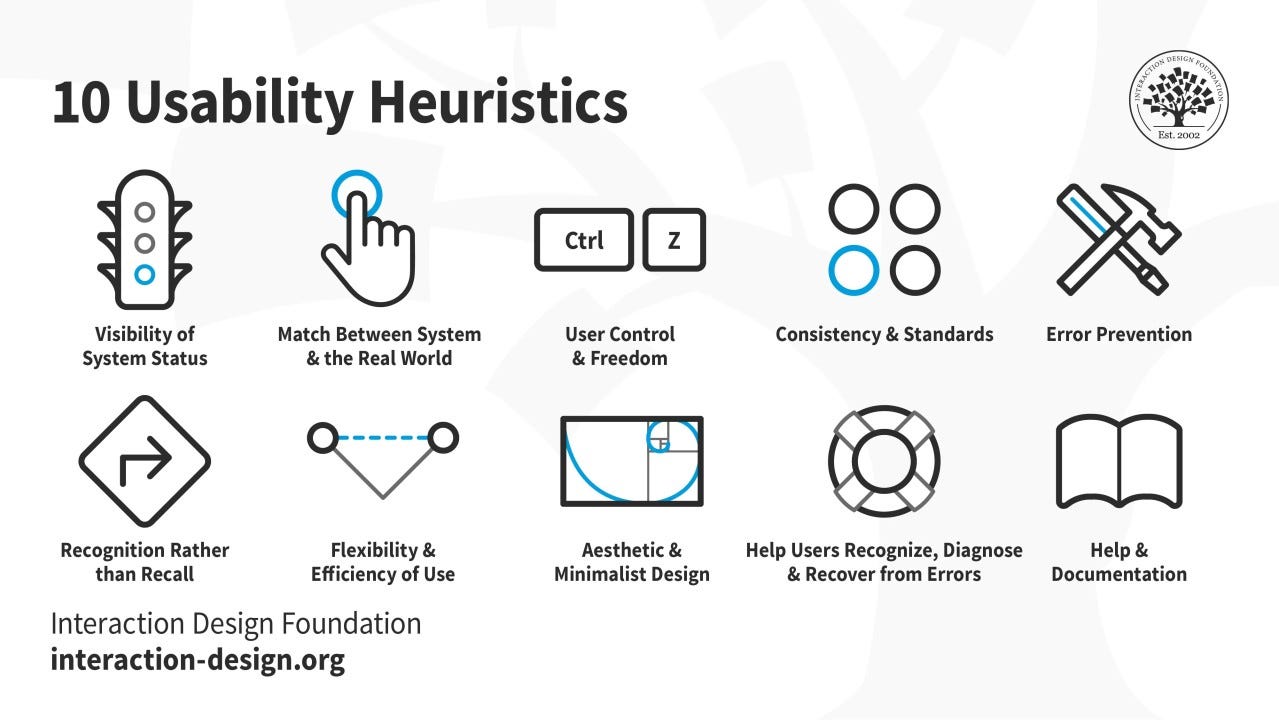
Design Heuristic Kept in Mind :
Consistency and Standards: Follow platform conventions and ensure consistency in terminology, layout, and behavior.
Recognition Rather Than Recall: Minimize the user's memory load by making elements, actions, and options visible.
User Control and Freedom: Provide ways for users to undo and redo actions, and offer clear exits from unwanted states.

Prototyping
Wireframes: Created high-fidelity wireframes focused on key features required for the MVP launch. The goal was to ensure usability and maintain visual and functional consistency with existing features in Shop Manager.
1. Inventory and Related Pages
Its flow included the main Inventory Dashboard and linked pages for adding, editing, and deleting parts. It also featured modals for delete confirmation and toast messages to inform users when tasks were successfully completed.
2. Inventory Integration in Document and Other Pages
The Document Page was already designed, so the focus was on iterating the "Add Parts and Labour" section to illustrate how inventory items would appear under the Parts subsection. Additional wireframes were created for related pages, including forms that allowed users to select between: Inventory parts and Quick parts (flagged or saved for quick access).
3. Supplier Page Enhancements
Added a new section to the Supplier Page that allows users to easily add a new supplier, ensuring the interaction aligns with existing design patterns and maintains a seamless user experience.
4. Order Page Enhancements
The Order Page was already in place, so the focus was on updating the existing table layout and adding a new form to support return and refund management and tracking, ensuring a smooth and intuitive user experience.
Interactive Prototypes Flows: Developed interactive prototypes to help the product and engineering teams visualize the user experience and understand the design rationale. The prototypes were iteratively updated based on team feedback, addressing questions and incorporating validated ideas.

Design Review and Handoff - Stock
Prototype Review and Handoff :
Collaborative Design Review Process: We scheduled bi-weekly meetings with the Development and Product teams separately to review designs and discuss user interaction flows.
In the initial sessions, we kept things simple—presenting progress directly from the design file and walking through each frame to explain the rationale. As we approached finalization, we transitioned to using interactive prototypes to better demonstrate user experience and functionality.
Throughout the process, we documented feedback and noted any requested changes. When stakeholders suggested removing certain design features, we defended our decisions with logical reasoning, emphasizing user benefits and long-term value.
Key takeaways included: Design is fluid—don’t get too attached to any one idea. Great ideas can come from anyone in the room, at any stage of the process.
Involving developers early in the design process helps avoid building features that are technically challenging or unfeasible to implement.
Establishing strong communication practices, encouraging open dialogue, and scheduling regular check-ins and feedback sessions are key to ensuring a smooth handoff and successful outcomes.
Identify and mitigate potential risks—such as scope creep, resource constraints, and conflicting priorities—through open cross-functional collaboration, thoughtful discussion, and reaching healthy, well-aligned conclusions.

Feature Summary
Results & Impact
No results yet: This feature is scheduled for release in October 2025.
Challenges & Future Considerations
Challenges :
Ensuring Stakeholder Buy-In: Securing alignment from all stakeholders can be challenging, especially when the value of UX and its business impact are not fully understood. Clear communication and demonstrating UX outcomes can help build trust and support.
Defining the scope: Clearly defining the project scope and setting realistic expectations within the given timeframe is crucial to avoid scope creep and ensure timely delivery.
Conducting effective user research: With limited time, it can be challenging to conduct user research and gather comprehensive insights.
Future Improvements :
User Feedback Integration: Establish structured processes for gathering and analyzing ongoing user feedback, and ensure insights are continuously incorporated into future design iterations.
Design for Growth: Plan for scalability by considering how the design will need to evolve as the user base grows, ensuring it remains flexible and adaptable from the beginning.


